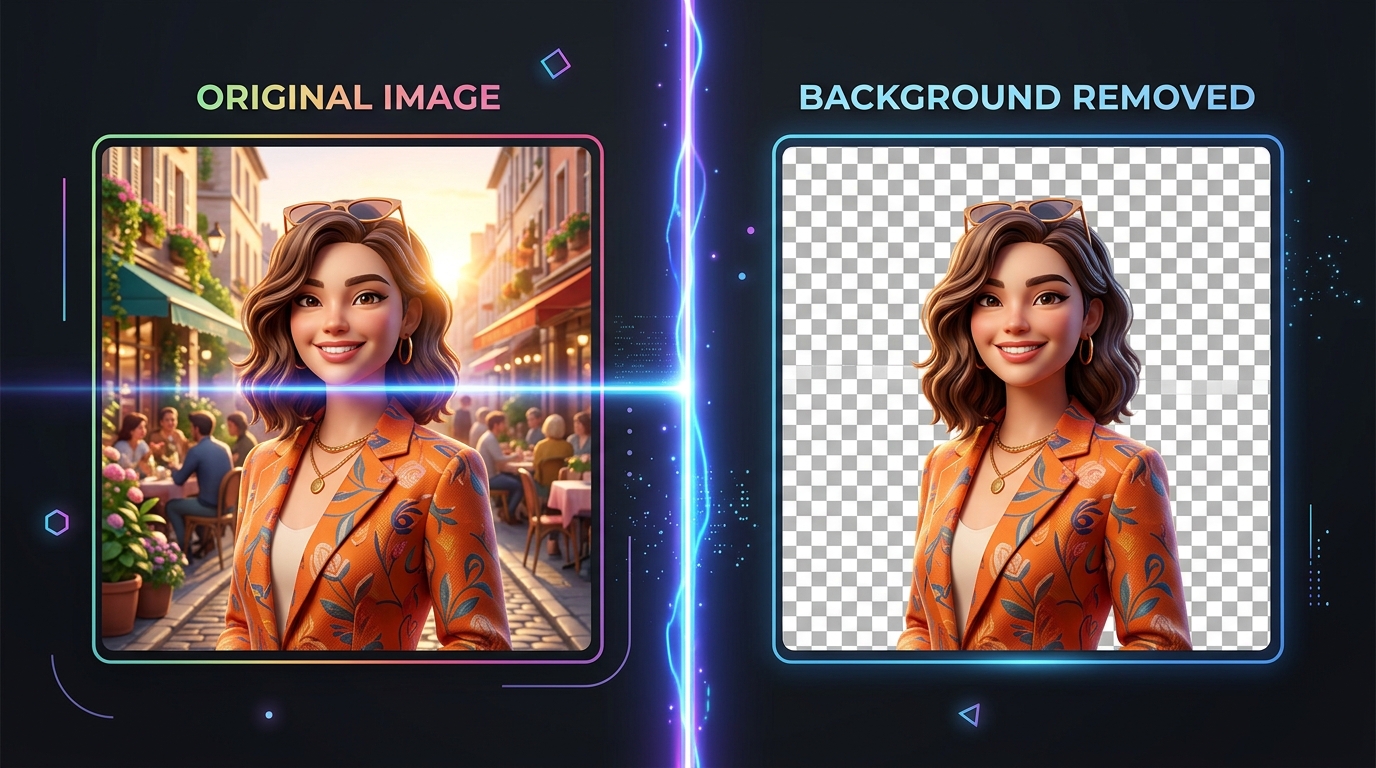
If you have ever experimented with OpenAI’s ChatGPT for image editing, graphic design, or product mockups, you have likely encountered the phrase “remove BG”—either as a prompt suggestion, a feature in the GPT Store, or a command someone recommended on Reddit or Twitter.
But what does it actually mean, how does ChatGPT handle it, and can an AI chatbot truly cut out image backgrounds with clean transparency?
In this guide, we break down what “remove BG” means in ChatGPT, the critical difference between generative AI and true background extraction, the infamous “fake checkerboard” issue, and how to get perfect transparent cutouts without paying for an expensive subscription.
The Short Answer: What Does “Remove BG” Mean?
In digital graphics, photography, and AI prompts:
“BG” is universal shorthand for “Background”.
Therefore, “Remove BG” simply means erasing, stripping, or cutting away the background of an image, leaving only the main foreground subject (such as a person, pet, product, or logo) on an empty, transparent alpha channel.
When you remove the background from a photo, the isolated subject can be saved as a transparent PNG or WebP file. This allows you to place that subject over any new scene, website banner, marketing flyer, presentation slide, or solid color canvas.
In the context of ChatGPT, “remove BG” usually refers to one of three things:
- A User Prompt: A user typing commands like “Remove the BG from this photo” or “Make the background transparent” in ChatGPT.
- A Custom GPT in the GPT Store: Third-party specialized assistants named “Remove BG”, “Background Eraser GPT”, or “Canva Background Remover” built to process image files.
- A Request for Code: Asking ChatGPT to write a Python script (using libraries like
rembgorPIL) to batch-remove backdrops on your computer.
Can ChatGPT Actually Remove the Background from an Image?
The answer is yes, but with major caveats. How ChatGPT responds depends heavily on which version of ChatGPT you use and whether it uses generative diffusion (DALL-E) or code execution (Python Advanced Data Analysis).
Let’s look at how ChatGPT behaves under different approaches:
Scenario 1: Asking ChatGPT (DALL-E) to “Remove BG” (The Common Mistake)
When you upload a photo to ChatGPT and simply ask:
“Remove the background from this image and make it transparent.”
ChatGPT usually passes the request to its built-in image generator (DALL-E 3).
Here is what actually happens—and why it often frustrates users:
1. DALL-E Does Not “Cut Out” Pixels; It Re-draws Everything
DALL-E is a generative diffusion model, not an alpha-matting photo editor. Instead of keeping your original photo and removing unwanted pixels, DALL-E generates a completely new image from scratch inspired by your prompt.
- Facial features, skin tones, and clothing textures will change.
- Text, brand names, and logos on clothing or packages will turn into scrambled AI gibberish.
- Small fine details like jewelry or hair strands get altered.
2. The Infamous “Fake Checkerboard” Problem
In professional graphic tools (like Photoshop or Photopea), a gray-and-white checkered grid represents transparency (pixels where there is zero color).
Because DALL-E’s training dataset includes millions of screenshots from graphic editors showing this checkered grid, DALL-E often literally paints a solid gray and white checkered pattern as actual opaque pixels behind your subject!
[!WARNING] When you save a DALL-E image with a checkered pattern, it is not transparent. If you paste that image onto a black slide or a colorful website, the gray and white squares will stay visible around your subject.
Scenario 2: Using ChatGPT’s Code Interpreter (Python)
If you have an active ChatGPT Plus or Team subscription ($20+/month), ChatGPT has access to a sandboxed Python computing environment called Advanced Data Analysis (Code Interpreter).
In this mode, ChatGPT can run real image-processing algorithms rather than generative re-draws:
- You upload your image.
- You specifically prompt:
Do NOT use DALL-E. Write and execute a Python script using the rembg library to remove the background of this uploaded image and return a downloadable PNG file with a true alpha channel. - ChatGPT spins up a Python container, processes your photo using neural network segmentation, and provides a clickable download link for a genuine transparent PNG.
Drawbacks of the Python Method:
- Requires a Paid Subscription: Code execution is restricted behind OpenAI’s paid tiers.
- Slow Process: Starting the Python container, installing libraries, and rendering can take 30 to 60 seconds per photo.
- Strict Usage Caps: OpenAI enforces message limits (e.g., 40 to 80 messages every 3 hours).
- Cloud Upload Privacy: Your personal or confidential company photos are sent to OpenAI’s cloud servers.
Comparison: ChatGPT vs. Dedicated Background Removers
To understand where ChatGPT fits into your graphic workflow, look at this comparison:
| Feature | ChatGPT (DALL-E Generative) | ChatGPT Plus (Python Script) | Remove BG From Image |
|---|---|---|---|
| How it works | Re-draws a new synthetic image | Runs automated Python code | High-precision on-device AI |
| Preserves Original Subject | ❌ No (alters faces, logos, details) | ✅ Yes | ✅ Yes (100% faithful original pixels) |
| True Transparent PNG | ❌ No (draws fake checkerboard) | ✅ Yes (via Python download) | ✅ Yes (instant alpha channel) |
| Processing Time | 20 – 40 seconds | 30 – 60 seconds | Under 3 seconds |
| Price | Free (with limits) or $20/mo | Requires $20/mo Plus plan | 100% Free Forever |
| Software or Setup | Requires OpenAI account | Requires account & prompt | Zero install, zero sign-up |
| Data Privacy | Uploads to OpenAI servers | Uploads to OpenAI servers | 100% In-Browser (Zero server upload) |
Best ChatGPT Prompts to Remove BG (If You Use ChatGPT)
If you already have ChatGPT Plus and want to use it for background tasks, here are the most effective prompts:
1. For Real Transparent PNGs (Via Code Interpreter)
Please analyze this uploaded photo. Using Python and computer vision libraries,
extract the foreground subject, erase the background completely, and output a
transparent PNG file with an intact alpha channel for download.
2. For Studio Product Mockups (Via DALL-E)
If you do not mind generative AI recreating your scene and just want a clean studio presentation:
Place the main object in this image against a clean, seamless, solid white
studio backdrop with soft natural shadows underneath. Maintain the shape and
colors of the original object as closely as possible.
3. For Generating Python Automation Scripts
You can also ask ChatGPT to write a Python script that you run locally on your own computer to batch-process hundreds of images:
# Prompt: "Write a Python script to remove backgrounds from an entire folder of photos"
from rembg import remove
from PIL import Image
import os

input_path = "input_photo.jpg"
output_path = "output_transparent.png"

with open(input_path, "rb") as input_file:
    with open(output_path, "wb") as output_file:
        input_data = input_file.read()
        output_data = remove(input_data)
        output_file.write(output_data)

print("Background successfully removed!")
The Better, Free & Instant Alternative: Remove BG From Image
If you want a transparent PNG cutout of your photo without writing Python prompts, dealing with fake checkerboards, or paying $20 every month, use Remove BG From Image.
Unlike generative chatbots, our dedicated web tool is built specifically for one task: delivering flawless cutouts in seconds.
Why Users Prefer Remove BG From Image:
- ⚡ 1-Click Simplicity: Just drag and drop your photo. No complex prompt engineering required.
- 🎯 Hair & Edge Precision: State-of-the-art neural networks preserve delicate flyaway hair, animal fur, glasses rims, and soft transitions.
- 🔒 100% Private (Runs In Your Browser): Utilizing cutting-edge WebAssembly (Wasm), all image segmentation happens locally on your device. Your photos are never uploaded to external cloud servers.
- 💎 Full HD Resolution: Unlike other tools that downgrade free cutouts to low-res 500px previews, we export full-resolution transparent PNGs for free.
- 🆓 No Watermarks & No Sign-Up: Start editing immediately without handing over an email address or credit card.
How to Get a Transparent Cutout in 3 Seconds
- Go to removebgfromimage.com in any desktop or mobile browser.
- Click Upload Image (or drag & drop your photo, or press Ctrl + V / Cmd + V to paste a screenshot).
- The AI automatically detects your subject and removes the background in under 3 seconds.
- Click Download PNG to save your transparent cutout.
Frequently Asked Questions (FAQ)
What does “remove BG” stand for?
“Remove BG” stands for “Remove Background”. It is the process of eliminating the backdrop of a photograph so that only the primary subject remains, surrounded by a transparent background.
Why did ChatGPT give me an image with gray and white squares?
When you ask DALL-E for a “transparent background”, it misunderstands the request and paints the visual icon of transparency—the gray and white checkerboard grid—as permanent opaque color pixels into the image. To get true transparency, you need an alpha-channel PNG, which DALL-E cannot natively render.
Can free ChatGPT users remove backgrounds?
Free ChatGPT users can ask ChatGPT for advice, instructions, or code snippets, but free ChatGPT cannot execute Python background-removal scripts. For a free, immediate solution without signing up or paying, use Remove BG From Image.
Does ChatGPT background removal keep my exact photo?
Standard ChatGPT image prompts do not keep your original photo; they synthesize a new image using DALL-E. Only the Python Code Interpreter method (available in ChatGPT Plus) processes your actual original pixels.
What is the difference between a JPG and a PNG with “no background”?
A JPG (JPEG) file cannot store transparency; any empty area will automatically turn solid white or black. A PNG file supports an alpha channel, allowing the background to remain completely see-through when placed over other graphics.
Topics covered in this guide
Written by Remove BG Team
AI & Photo Editing Specialist
The Remove BG engineering and design team is committed to making high-resolution image editing accessible, private, and 100% free for creators worldwide without hidden paywalls.